
shopping_bag Cart Items (0)
₹0.00
remove_shopping_cart
Your procurement cart is empty
Browse Spares Catalog
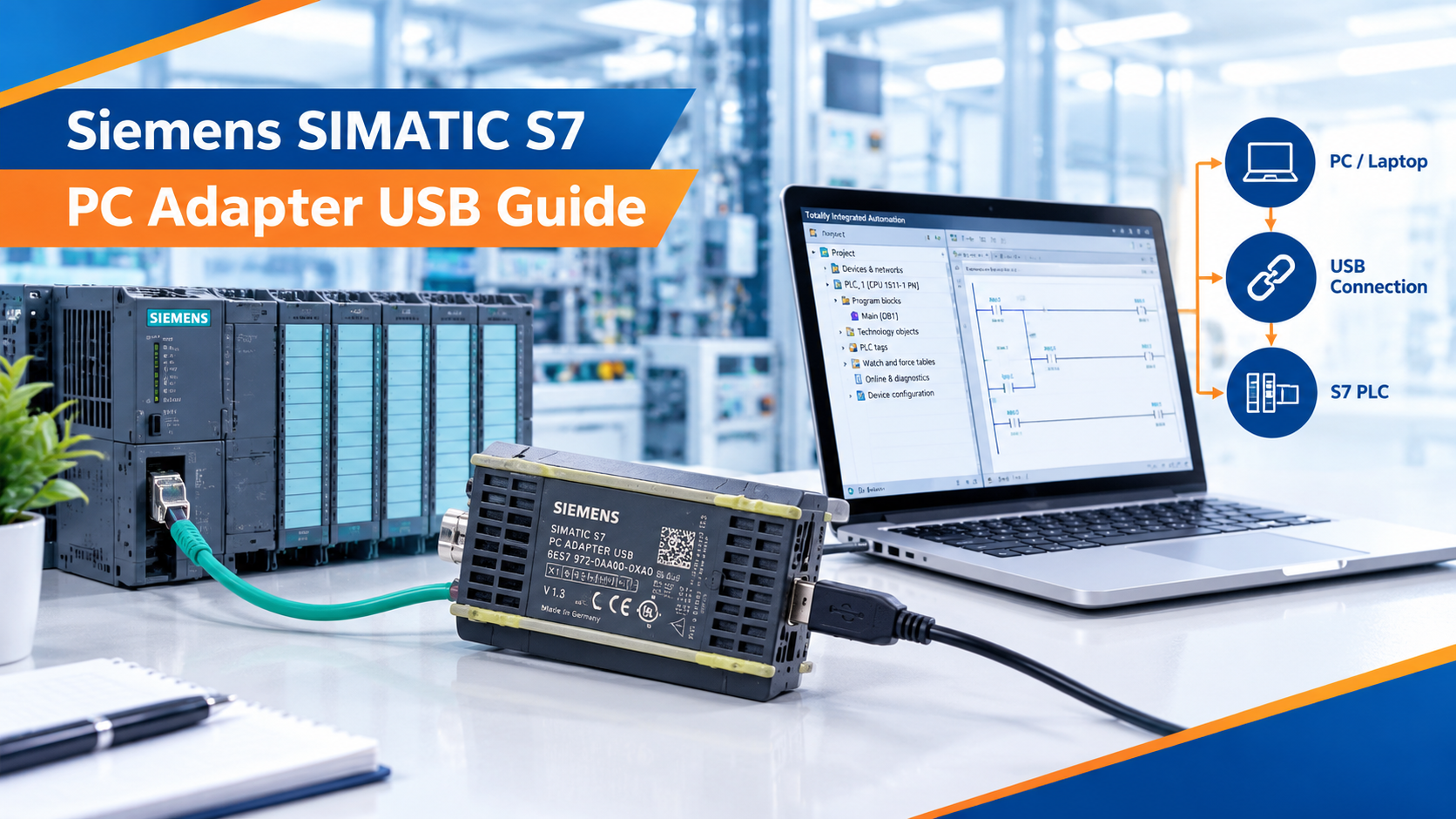
Connecting a programming computer to older industrial controllers can be a major challenge when modern laptops lack legacy serial ports. A programming adapter acts as a translator, allowing USB signals from a PC to communicate with industrial field networks.
The Siemens 6ES7 972-0CB20-0XA0 SIMATIC S7 PC Adapter USB | MPI / PPI / PROFIBUS is a reliable hardware interface designed by Siemens. It bridges standard USB ports on engineering laptops to classic SIMATIC automation networks. In this complete guide, you will learn how this adapter works, its network protocol support, driver installation steps, and troubleshooting techniques.
The Siemens 6ES7 972-0CB20-0XA0 SIMATIC S7 PC Adapter USB | MPI / PPI / PROFIBUS is an electronic communication bridge. Think of it like a universal travel adapter. Just as a travel adapter lets your phone plug into foreign wall sockets, this USB adapter lets your modern PC talk to industrial controllers using older communication languages.
Siemens engineered this adapter to support field commissioning, program uploads, downloads, and online diagnostics on legacy plant floors.
| Parameter | Technical Specification / Rating |
| Catalog Number | 6ES7 972-0CB20-0XA0 |
| PC Interface Connection | USB 2.0 (Type B port on adapter, USB-A cable to PC) |
| PLC Network Port | 9-pin D-sub male connector for RS-485 networks |
| Supported Protocols | MPI (Multi-Point Interface), PROFIBUS DP, PPI (SIMATIC S7-200) |
| Power Supply | Powered directly through the USB port and PLC network terminal |
| Operating Software | STEP 7 (SIMATIC Manager) and TIA Portal (legacy versions) |
The 6ES7 972-0CB20-0XA0 adapter supports three major Siemens communication protocols. Understanding these protocols ensures proper connection in the field.
MPI is Siemens' proprietary local network protocol used primarily for connecting programming devices, operator panels, and S7-300 / S7-400 PLCs. The adapter communicates effortlessly across MPI networks at speeds up to 187.5 kbps.
PROFIBUS (Process Field Bus) is a high-speed deterministic industrial network used for factory automation. The adapter supports PROFIBUS DP (Decentralized Peripherals) communications up to 1.5 Mbps, allowing engineers to monitor remote I/O drops and drives.
PPI is used for smaller Siemens SIMATIC S7-200 micro PLCs. By configuring the adapter settings inside STEP 7 Micro/WIN, technicians can program and troubleshoot S7-200 controllers over RS-485 connections.
Getting the adapter to communicate with SIMATIC Manager (STEP 7) requires proper PG/PC interface configuration.
Ensure you have SIMATIC Manager or TIA Portal installed on your Windows engineering PC. The proprietary USB drivers install automatically alongside the primary Siemens software suite.
Plug the USB cable from your laptop into the USB port on the 6ES7 972-0CB20-0XA0 adapter.
Plug the 9-pin D-sub connector directly into the programming port of the S7 PLC or onto an active PROFIBUS connector pass-through.
Open Windows Control Panel and launch Set PG/PC Interface.
Under "Access Point of the Application," select S7ONLINE (STEP 7).
Choose PC Adapter.USB from the list of installed interfaces.
Click Properties, select the correct network profile (MPI or PROFIBUS), and match the baud rate to your controller network.
Click Test to verify successful communication with the PLC.
Consider a manufacturing facility running an older packaging line controlled by a Siemens S7-300 PLC.
The Challenge: The plant technician needs to modify timer values inside the PLC program, but the factory laptop only has USB ports and no legacy 9-pin serial COM ports.
The Solution: The technician connects the Siemens 6ES7 972-0CB20-0XA0 SIMATIC S7 PC Adapter USB | MPI / PPI / PROFIBUS between the laptop USB port and the S7-300 CPU MPI port.
Execution: After configuring the PG/PC interface in STEP 7 to match the 187.5 kbps MPI baud rate, the technician goes online and successfully updates the logic.
Result: Fast, reliable programming access without needing outdated computer hardware.
Avoid these frequent setup errors when using legacy Siemens USB adapters:
Baud Rate Mismatch: If STEP 7 returns a communication timeout error, verify that the baud rate setting in "Set PG/PC Interface" matches the network speed of the PLC (typically 187.5 kbps for standard MPI).
Power from the PLC Port: Some older S7-200 PPI ports do not supply 24V pin power to the adapter. Ensure the adapter dip switches or software settings account for external power requirements if communication fails.
USB Driver Conflicts: Avoid using generic third-party USB-to-serial adapters stacked with this unit. Always use official Siemens STEP 7 drivers for stable S7ONLINE routing.
The Siemens 6ES7 972-0CB20-0XA0 SIMATIC S7 PC Adapter USB | MPI / PPI / PROFIBUS remains an indispensable tool for control engineers maintaining legacy automation systems. By supporting MPI, PROFIBUS, and PPI protocols, it bridges modern USB laptops to classic Siemens controllers. Proper driver configuration and baud rate matching ensure seamless online troubleshooting on the factory floor.
Do you have questions about configuring Siemens communication adapters or troubleshooting S7 network connections? Leave a comment below or contact our technical support team at plchub.in today!
This adapter works natively with Siemens SIMATIC STEP 7 (SIMATIC Manager), STEP 7 Micro/WIN (for S7-200), and legacy versions of TIA Portal.
Yes. The adapter supports PROFIBUS DP communication at speeds up to 1.5 Mbps, as well as standard MPI and PPI networks.
Normally, no. The adapter draws necessary operating power directly from the USB port of the PC and pin connections on the PLC communication port.
Check that "PC Adapter.USB" is selected in the "Set PG/PC Interface" settings, verify your cable connections, and ensure the network baud rate matches the PLC configuration.
Keep the site working: signing in, your cart and checkout, security checks and remembering these privacy choices. These cannot be switched off.
Remember products you viewed and searches you made so we can show "recently viewed" items and relevant suggestions, linked to your account when you sign in.
Help us understand how visitors use the site (pages visited, time spent, country) so we can improve it. Without this we only count anonymous daily totals.
Allow advertising, chat and notification partners to set cookies so we can measure campaigns, show relevant offers and offer live chat and push notifications.