
shopping_bag Cart Items (0)
₹0.00
remove_shopping_cart
Your procurement cart is empty
Browse Spares Catalog
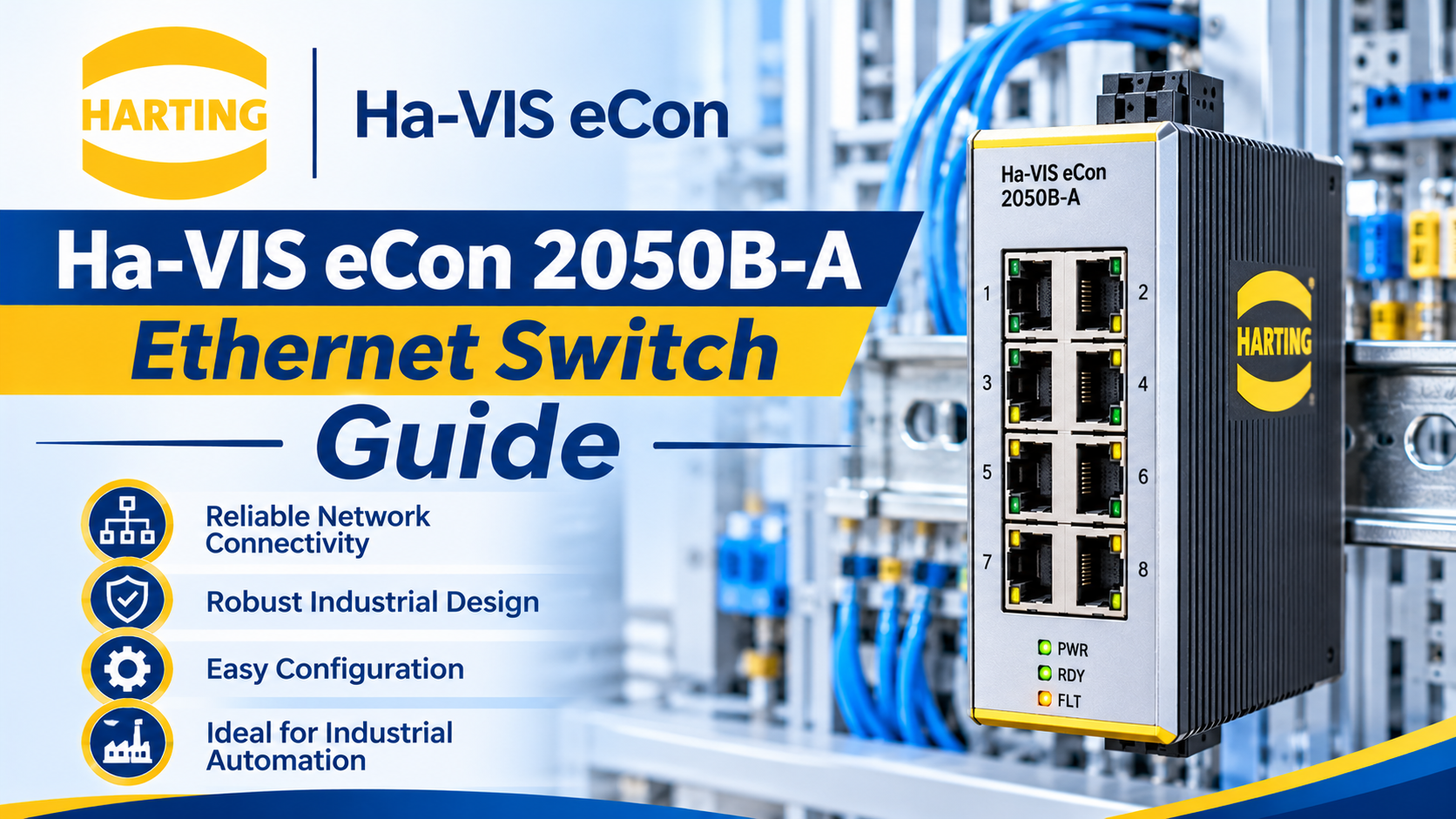
Industrial automation networks require robust data communication hardware to link PLCs, HMIs, and drives together seamlessly. An industrial Ethernet switch acts like a high-speed traffic intersection, taking data packets from one device and routing them accurately to their destination.
The HARTING Ha-VIS eCon 2050B-A Industrial Ethernet Switches are compact, unmanaged networking solutions engineered by HARTING. Built for rugged factory environments, they ensure dependable packet transmission without complex configuration software. In this guide, you will learn how these switches operate, their core technical specifications, proper installation guidelines, and maintenance tips.
The HARTING Ha-VIS eCon 2050B-A Industrial Ethernet Switches are unmanaged networking devices designed to mount directly inside electrical enclosures. Think of them like a heavy-duty household Wi-Fi router, but built with industrial-grade metal components to survive severe electrical noise, vibration, and extreme temperatures.
Because they are "unmanaged" switches, they require zero programming or IP address setup. You simply plug in your Ethernet cables, and the switch begins forwarding data packets instantly.
| Parameter | Technical Specification / Rating |
| Catalog Number | Ha-VIS eCon 2050B-A |
| Switch Type | Unmanaged Industrial Ethernet Switch |
| Port Count & Speed | 5 Fast Ethernet ports (10/100 Mbps RJ45) |
| Power Supply Input | 24V DC / 48V DC redundant power inputs |
| Mounting Type | 35mm DIN Rail mounting |
| Enclosure Protection | IP30 robust metal housing |
HARTING engineered the eCon series to maximize uptime and simplify network expansion on the factory floor.
Unmanaged switches are ideal for straightforward machine networks where remote web monitoring is unnecessary. There are no configuration menus, VLAN settings, or firmware updates to manage, eliminating configuration errors during commissioning.
Power failure is a primary cause of network downtime. The Ha-VIS eCon 2050B-A features dual power input terminals. If primary 24V DC power drops, the switch switches over instantly to a secondary backup power feed without dropping data packets.
Factory floors generate heavy electromagnetic interference (EMI) from motors and VFDs. The rugged metal housing shields internal electronics from electrical noise, ensuring reliable data communication under harsh conditions.
Consider a multi-axis box-packaging line controlled by a CompactLogix PLC, an operator touchscreen, and three servo drives.
The Challenge: The control panel needs a reliable local network switch to connect all Ethernet-enabled devices together without requiring IT configuration expertise.
The Solution: Engineers snap the HARTING Ha-VIS eCon 2050B-A Industrial Ethernet Switches onto the panel DIN rail and wire it to the 24V DC power supply.
Execution: CAT6 patch cables connect the PLC, HMI, and drives directly into the 5 RJ45 ports on the switch. Data transmission starts immediately.
Result: A stable, high-speed local automation network operating flawlessly without software setup delays.
Avoid these frequent operational errors when installing or maintaining industrial network switches:
Verify Cable Speeds and Categories: Use proper industrial-grade shielded CAT5e or CAT6 Ethernet cables. Avoid running communication cables parallel to high-voltage motor power lines to prevent packet loss.
Check Link and Activity LEDs: Each port features status indicator lights. A solid green light indicates a successful link, while blinking indicates data traffic. If an LED is dark, check cable seating and port connections.
Secure Redundant Power Terminals: When utilizing dual power supplies, ensure both positive and negative terminals are torqued securely to prevent intermittent power resets from cabinet vibration.
The HARTING Ha-VIS eCon 2050B-A Industrial Ethernet Switches provide a reliable, plug-and-play networking solution for modern automation panels. By understanding their 5-port 100 Mbps capacity, redundant power inputs, and robust metal architecture, control engineers can establish dependable local networks with total confidence. Proper installation eliminates communication drops and ensures long-term system stability.
Do you have questions about designing industrial Ethernet networks or sourcing HARTING hardware components? Leave a comment below or contact our technical support team at plchub.in today!
No. The Ha-VIS eCon 2050B-A is an unmanaged switch, meaning it operates on true plug-and-play principles with no IP addresses or configuration software required.
This model features 5 Fast Ethernet RJ45 ports supporting data transmission speeds of 10/100 Mbps.
Yes. The switch includes dual power input terminals, allowing it to accept backup DC power to prevent network outages if a primary power source fails.
The unit is designed for fast, secure snap-on mounting onto standard 35mm DIN rails inside industrial control cabinets.
Keep the site working: signing in, your cart and checkout, security checks and remembering these privacy choices. These cannot be switched off.
Remember products you viewed and searches you made so we can show "recently viewed" items and relevant suggestions, linked to your account when you sign in.
Help us understand how visitors use the site (pages visited, time spent, country) so we can improve it. Without this we only count anonymous daily totals.
Allow advertising, chat and notification partners to set cookies so we can measure campaigns, show relevant offers and offer live chat and push notifications.